
Robot mowers are reliable machines, but like any piece of outdoor tech, they run into snags now and then. Most of the time the fix is simple once you know what’s actually going wrong. This guide walks through the robot mower problems homeowners report most often — from boundary confusion and stuck wheels to battery drain and Wi-Fi dropouts — along with the practical steps to get your mower back to work.
1. The Mower Won’t Start or Leave the Dock
This is the most common complaint, and it’s usually one of a handful of causes rather than a serious fault.
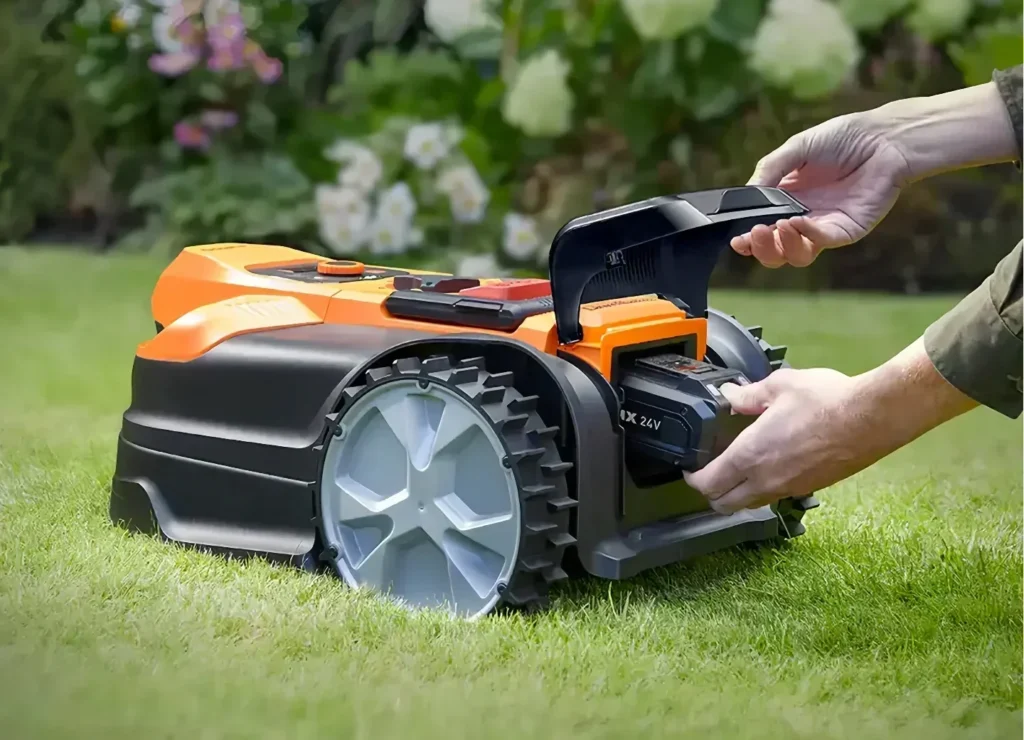
- Low or dead battery. Check the charging contacts on both the mower and the dock — dirt, grass clippings, or corrosion on the contact points is the single most common reason a mower shows as “charging” but never actually reaches full power.
- PIN lock or scheduling issue. Many mowers ship with a security PIN or app-based lock that disables mowing until it’s entered. Double-check the app for an active lock or a schedule that hasn’t started yet.
- Rain delay or weather sensor. Most current models automatically postpone mowing after rain to protect the motor and avoid tearing wet turf. If the ground is still damp, this is likely working as intended, not a malfunction.
If the mower still won’t leave the dock after ruling those out, a full power cycle (turning it off, waiting 30 seconds, and restarting) resolves a surprising number of software glitches.
2. Boundary and Navigation Errors
Whether your mower uses a buried wire or wire-free GPS/RTK navigation, boundary errors are the second most frequent issue.
- Wire-guided models: A boundary-loss error almost always means a cut or damaged wire somewhere along the perimeter. Garden tools, aeration, and burrowing animals are the usual culprits. Most manufacturer apps can point you to roughly where along the loop the break occurred, which saves you from tracing the entire wire by hand.
- Wire-free (RTK/GPS) models: Weak satellite or cellular signal is the usual cause, especially under heavy tree canopy or near tall structures that block sky view. If your mower repeatedly loses its boundary in the same spot, that area likely needs a signal booster or a re-mapped boundary that avoids the dead zone.
If you’re still deciding between a wire-guided or wire-free setup, our robot lawn mower buying guide breaks down which navigation type holds up better under shade, slope, and irregular lawn shapes.
3. Uneven or Poor-Quality Cutting
A robot mower leaving patchy or scalped grass is almost always a blade or height issue rather than a mechanical failure.
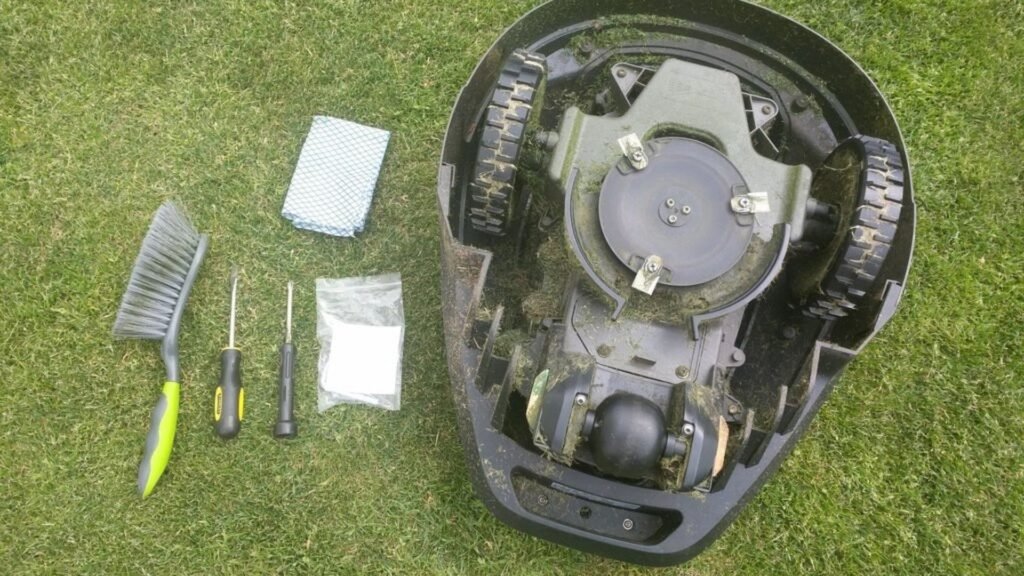
- Dull or damaged blades. Most robot mower blades are inexpensive, disc-mounted, and designed to be replaced every 4–8 weeks during active growing season, not sharpened. If cutting looks ragged rather than clean, swap the blades before troubleshooting anything else.
- Cutting height set too low. Scalped or brown patches after a session usually mean the height is set below what the grass and soil can tolerate, especially right after a dry spell.
- Missed patches. Gaps in coverage usually point to an undersized mowing schedule for your lawn’s actual size — bump up the frequency or duration rather than assuming the mower is broken.
4. Getting Stuck or Tangled
Robot mowers are good at navigating flat, open turf, but certain yard features trip them up repeatedly:
- Steep drop-offs, drainage ditches, or retaining wall edges near the boundary line
- Long grass or overgrown edges that wrap around the wheels or blade disk
- Garden hoses, low-hanging branches, or loose landscaping edging left in the mowing zone
If your mower gets stuck in the same spot repeatedly, the more permanent fix is usually to add a no-go zone in the app around that feature rather than relying on the mower to route around it every time.
5. Battery Draining Faster Than It Used To
Shorter runtimes and longer charge times are the clearest early signs of battery wear, and how you charge and store the mower has a bigger effect on battery lifespan than most owners realize. Keeping the charge level between roughly 30–80% during active use, avoiding full drains, and using the manufacturer’s charger all help extend the pack’s working life. For a full breakdown of what actually shortens battery life and how to spot a battery that needs replacing, see our robot mower battery maintenance guide.
6. Wi-Fi, App, or Connectivity Problems
App-connected mowers occasionally lose their link to the home network or cellular service. Before assuming a hardware fault:
- Confirm the mower is within range of your router — a garage or shed at the edge of the property is a common weak spot
- Restart the mower and the router, in that order
- Check for a pending firmware update, since outdated firmware is a frequent cause of app pairing failures
7. Error Codes and Sensor Faults
Lift sensors, tilt sensors, and collision sensors are safety features, not just navigation tools — they’re designed to stop the blades instantly if the mower is picked up or flipped. An error code referencing one of these usually means the sensor was triggered by something ordinary (unlevel ground, being bumped, a stick catching underneath) rather than a defect. Clearing debris from the sensor area and restarting typically resolves it. If the same error recurs on flat, clear ground with no obvious trigger, that’s when it’s worth contacting the manufacturer’s support line rather than continuing to reset it.
Preventing Problems Before They Start
Most robot mower issues trace back to a handful of preventable habits: letting the boundary wire or signal area go unchecked, skipping blade replacement, and improper charging or off-season storage. A little routine maintenance goes a long way — including how you store the mower once the mowing season ends, which is where a lot of avoidable damage actually happens. Our winter storage guide covers how to protect the battery, electronics, and blades during the off-season so the mower starts up clean in spring.
Conclusion
Most of the problems that come up with a robot mower are quick fixes once you know where to look — a dirty charging contact, a damaged wire, a dull blade, or a weak signal spot. Working through the checks above before assuming the worst will resolve the majority of issues without a service call. And when it’s time to keep the mower running well long-term, proper battery care and off-season storage do more to prevent future problems than anything else on this list.