


It’s 10 pm. You’re hunched over a site plan, and the numbers blur. One missed post or a sudden lumber hike can wipe out tomorrow’s profit. Fence estimating software ends that headache.
Modern, fence-specific platforms now convert digital takeoffs, live supplier prices, and polished quotes into a five-minute, cloud-based workflow. The payoff: hours saved, margins protected, bids sent before competitors even open the email.
We tested the top contenders for 2026—scoring speed, accuracy, fence-smart features, price, and ease. Four emerged as clear stand-outs; the next sections explain why.
The tech shifts transforming fence estimates in 2026
A year ago, a digital takeoff meant tracing lines on a PDF. Today, AI finds the fence line for you before your coffee finishes brewing.
Machine-vision engines scan site plans, count posts, and deliver linear footage in minutes, not hours. That speed frees you to chase the next bid instead of babysitting a cursor.
On site, phones do more than capture photos. LiDAR-ready apps map property lines in augmented reality, letting you walk the perimeter while a virtual fence rises in real time. No measuring wheel, no guesswork, and no second visit when a homeowner wants the gate two feet left.
Price swings once turned estimates into guesswork. Modern platforms pull live prices from distributor catalogs, so board and steel costs refresh the moment they change. Your quote stays accurate, and your margin survives.
Everything also lives in the cloud. Sketch a layout on your tablet, finish the proposal at your desk, and let the crew pull material counts from their phones. Speed, accuracy, and transparency are now table stakes for any fence estimating software on our list.
How we put each platform through its paces
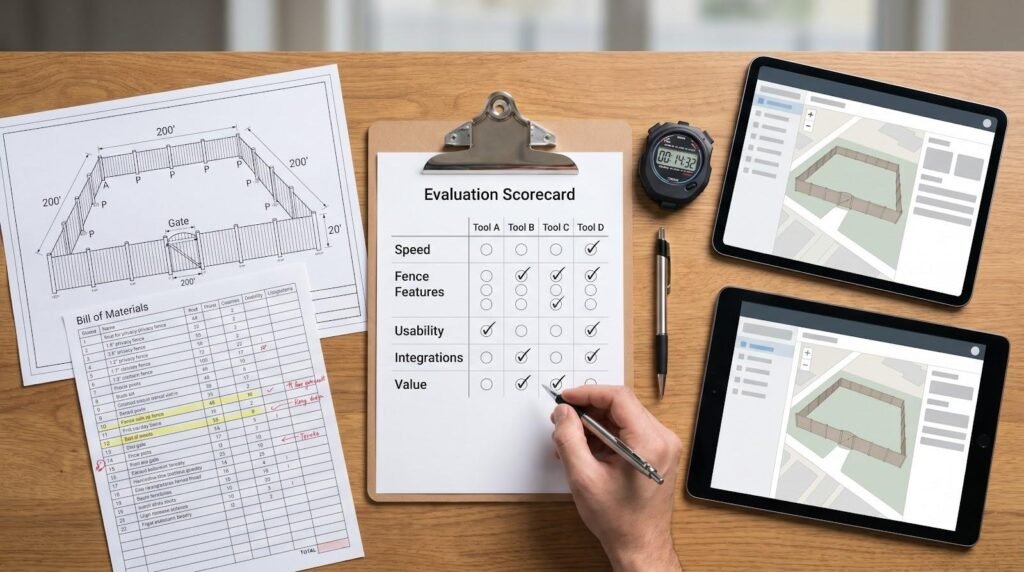
We skipped glossy demo videos and marketing sheets. Instead, we installed every piece of fence estimating software, built the same 200-foot privacy fence in each one, and timed the full workflow from opening a plan to exporting a customer-ready quote.
Speed alone was not enough. We compared every auto-generated material list with a hand count to catch missing posts, gates, or fasteners. Any tool that missed the basics lost points.
Accuracy then met specialization. We looked for fence-only logic such as post spacing rules, supplier catalogs, and gate hardware defaults. Generic construction estimators that needed clunky workarounds did not make the cut.
Ease of use matters because most fence pros would rather set posts than set up software. We measured how fast a new user could sketch, price, and save a job without digging through menus.
Integration rounded out the scorecard. A strong estimator should export polished PDFs, sync with QuickBooks, and share data with project-management apps. If it hoarded information, we marked it down.
Finally, price had to match value. A high-power tool that erodes profit is not a win; a bargain that wastes time is worse. By weighing our five pillars—speed, fence features, usability, integrations, and value—we produced the ranking you will see next.
1. Simpson Strong-Tie Fence Planner software – best free design and takeoff tool
Need a fast way to count every post and picket without spending a dollar? Launch the browser-based Fence Planner Software from Simpson Strong-Tie, design a custom fence in minutes, and watch it spin in 3D while a bill of materials fills in automatically. The cost: zero.
Because Simpson Strong-Tie also manufactures the brackets and fasteners that keep fences together, the app quietly adds code-compliant hardware to every design. Choose a style, adjust height or gate position, and the software auto-selects the right connectors so your crew is not missing a critical strap on install day.
Accuracy is the payoff. Material lists include lumber, concrete, and the screws many people forget during late-night napkin math. Just as important, those lists match items stocked by local suppliers, removing the back-order surprise at the counter.
There are limits. Fence Planner stops at takeoff: no labor pricing, no proposal builder, and no mobile version for on-site edits. You will export the PDF, drop numbers into your own spreadsheet, and email the quote manually.
Use it as a safety net. Even if you rely on another estimator, running your layout through Fence Planner is the quickest way to catch a missing post before it costs you a trip to the lumber yard.
2. ArcSite – best for on-site sketching and instant quotes
ArcSite on-site fence sketching and instant quote tablet screenshot
Picture this: you walk a property with an iPad, trace the fence line with your finger, and before the homeowner finishes asking about gate options the fence estimating software has priced the job. That is ArcSite in a nutshell.
The interface feels closer to doodling than drafting. Drop a corner, drag a run, and watch the program tally posts, panels, and concrete in the background. Because every line is tied to your price book, the estimate refreshes with each swipe. No scribbled numbers, no late-night spreadsheet math.
Speed is the obvious win, but accuracy is the quiet hero. ArcSite counts hardware the moment you place a gate symbol, so hinges, latches, and tension bands never slip through the cracks. That precision produces cleaner bids and fewer “we need to charge extra” phone calls later.
ArcSite also shortens the sales cycle. Finish the drawing, tap Generate Proposal, and hand the homeowner a polished quote while you are still on the patio. Many contractors close on the spot, with no second visit or follow-up chase.
There is effort up front. You must load your fence styles, labor rates, and supplier costs before the live pricing shines. Keep those numbers current or the advantage fades.
Subscriptions sit in the low three figures per user each month, but most crews earn that fee back by trimming just a few unpaid hours from the week. If closing jobs on the first visit is your edge, ArcSite pays for itself quickly.
3. Fence Cloud – best all-in-one suite for growing and enterprise fence companies
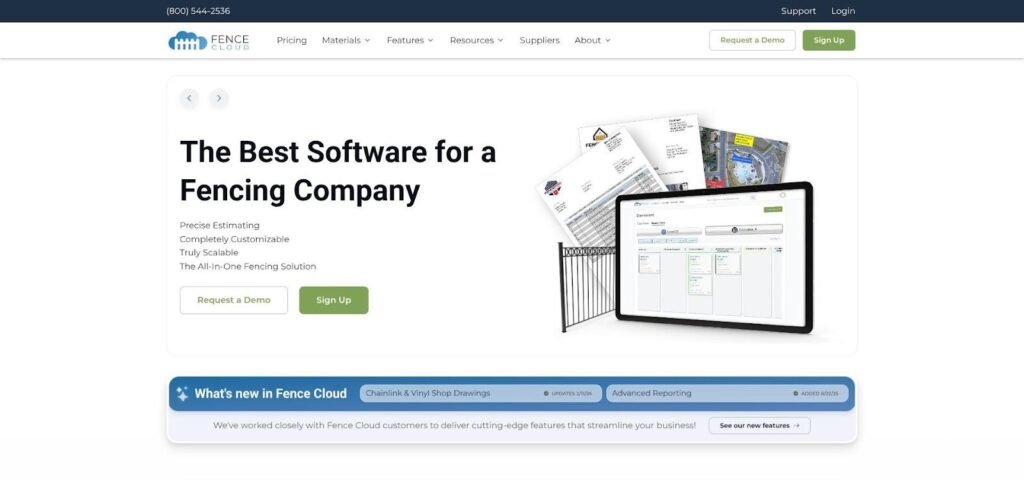
Fence Cloud all-in-one fence company management dashboard screenshot
Fence Cloud shows what happens when 40 years of fence-industry math meets modern cloud tech. This fence estimating software does more than price a job; it can run the entire operation from first call to final invoice.
Open a project and choose a style: wood privacy, chain link, or ornamental iron. The system taps a library of more than 100 supplier catalogs, selects real SKUs, and builds a live bill of materials in seconds. Your estimate mirrors what distributors stock, so purchase orders go out with one click.
Estimates are only chapter one. Fence Cloud converts a sold job into work orders, schedules crews on a shared calendar, and tracks every change order. Owners see dashboards on margin and materials, while accounting exports clean data to QuickBooks.
Power carries a price. Plans run about $220 to $545 per month depending on seats and features. Solo operators may find that steep, yet mid-sized firms often recover the fee by replacing two or three apps and removing double entry.
Expect a learning curve. Setting labor formulas, supplier markups, and crew roles takes effort, and the desktop-first interface feels more accountant than Apple. Stick with the onboarding sessions; once configured, the time savings add up quickly.
Choose Fence Cloud if you manage multiple crews, juggle complex commercial bids, or worry about material variance cutting profit. It remains a heavyweight champion for high-volume work, though it may feel oversized for small shops.
4. Visual Fence Pro – best modern all-in-one with AI visuals and client portal

Visual Fence Pro satellite map fence estimator and client portal screenshot
Visual Fence Pro feels like fence estimating software built for the Amazon era. Drop an address into the map, trace the property line from satellite view, and the program places posts while building a live bill of materials with your own prices. A shareable quote link appears in seconds, complete with e-signature, deposit payment, and a 3D mock-up the homeowner can spin on a phone.
The customer portal is the standout feature. Clients track progress, approve change orders, and message your team without the call-and-text loop. That transparency builds trust and sparks referrals.
On your side, quotes convert into work orders and calendar events, so office staff see the same data sales reps entered in the field. QuickBooks sync handles invoicing, while Stripe accepts payments inside the portal.
Entry cost is modest. A free tier covers light users, and paid plans start at $79 a month as estimate volume grows. The structure makes VFP an easy trial for small outfits and a flexible upgrade path as you add crews.
Setup takes about an afternoon. Load fence styles, labor rates, and supplier costs; the support team walks you through a template import that handles most of the work.
Choose Visual Fence Pro if you want a client-friendly, mobile-first workflow that sells fences as smoothly as it builds them.
How the four tools stack up at a glance
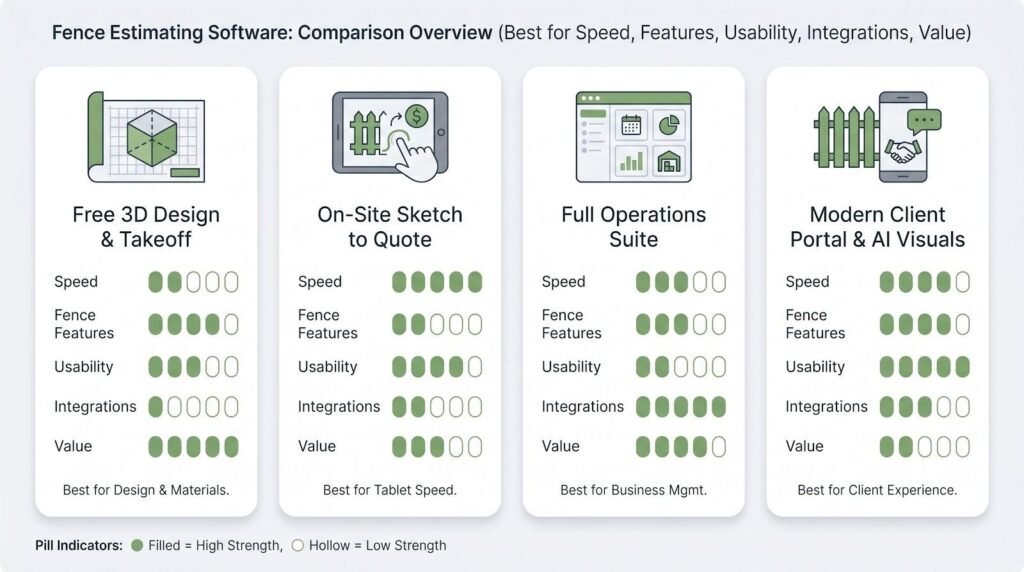
Numbers never tell the whole story, yet they set the stage. The table below distills our hands-on testing into a single scorecard so you can spot strengths and gaps without rereading every review of each fence estimating software option.
| Software | Best for | Key strengths | Notable limits | Price range* |
| Simpson Strong-Tie Fence Planner | Zero-cost design and takeoff | Free, 3D visualization, code-driven BOM | No pricing or proposals, desktop only | Free |
| ArcSite | On-site sketch-to-quote speed | Tablet drawing, live pricing, e-sign | Price book upkeep, per-user fee | ≈ $100–$170 / user mo |
| Fence Cloud | Full-suite operations | 100+ supplier catalogs, scheduling, dashboards | High subscription, learning curve | ≈ $220–$545 mo |
| Visual Fence Pro | Modern all-in-one with client portal | Satellite takeoff, AI visuals, pay-as-you-grow | Young platform, setup needed | Free tier, paid from $79 mo |
*Published prices as of Q2 2026. Confirm current rates before committing.
Glance across the rows and a pattern appears. Fence Planner nails accuracy but stops short of quoting. ArcSite wins on field speed. Fence Cloud dominates back-office depth. Visual Fence Pro balances tech polish with approachable cost.
Treat the matrix as a cheat sheet, then return to the detailed reviews when you are ready to match a tool to your workflow.
Conclusion and recommendations
Four products, four clear ways to protect your margin and reclaim your evenings.
If you only need a second set of eyes on material counts, launch Simpson Strong-Tie Fence Planner before every big order. It costs nothing and catches mistakes that cost plenty.
For sales teams that close jobs at the kitchen table, ArcSite’s draw-and-quote speed is the ace. One tablet session, one signed contract, done.
Managing several crews with inventory flying out the yard? Fence Cloud centralizes bids, schedules, and purchase orders so nothing slips. The subscription can sting, but blown change orders sting harder.
If you value a polished client experience and plan to grow, Visual Fence Pro combines modern visuals with self-serve portals without enterprise overhead.
Pick the lane that fixes your biggest bottleneck. Then block an afternoon, load one job, and feel the difference. Better fence estimating software not only saves hours, it safeguards profit on every fence you build.
FAQ: Nailing the practical details
Is there truly free fence estimating software?
Yes. Simpson Strong-Tie Fence Planner is free and still delivers a full materials list. Visual Fence Pro also offers a free tier for a few estimates each month while you test the waters.
How accurate are digital takeoffs compared with hand counts?
When drawings are calibrated and price books stay current, software removes most math errors. Auto-counted posts, gates, and hardware catch the items that slip past tired eyes.
Can these tools sync with QuickBooks?
ArcSite, Fence Cloud, and Visual Fence Pro all connect to QuickBooks Online. Fence Planner exports a PDF, so you will paste numbers into your accounting system manually.
Will they cover every fence type I build?
Each platform prices wood, vinyl, chain link, and ornamental fences out of the box. For niche styles, such as welded wire on custom steel frames, you add a template once and reuse it forever.
How do I measure ROI before buying?
Track two numbers for a month: hours spent estimating and dollars lost on material overruns. Compare time saved plus mistakes avoided to the subscription cost. Most contractors break even within one or two mid-size jobs.
Still weighing options? Start a free trial, price tomorrow’s bid in a new tool, and compare it to your usual process. You will know in one evening whether the upgrade pays.