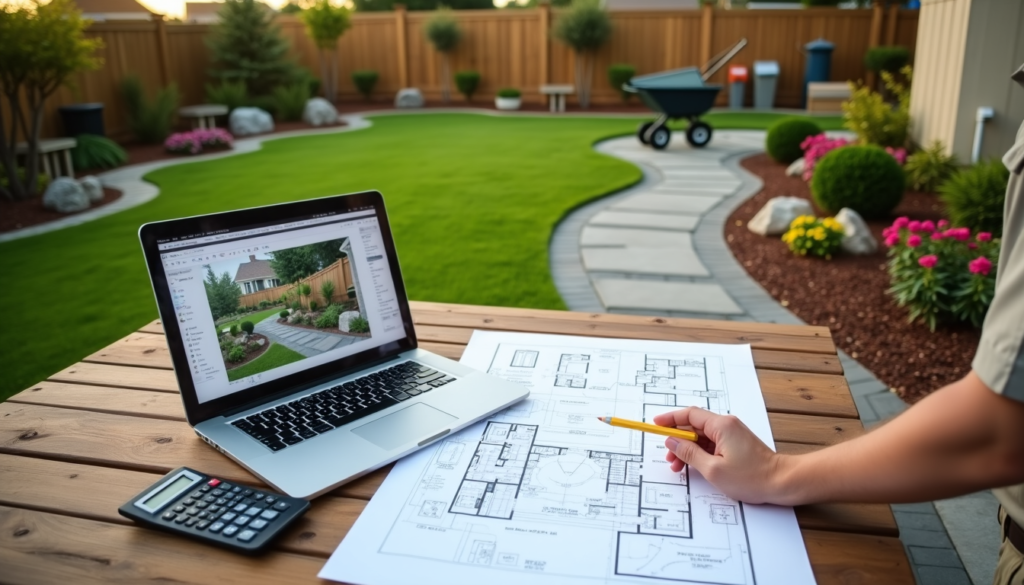

There has never been more ways to design a yard. You can still hire a local designer to walk your property with a measuring wheel, but you can also mail off a few photos to an online design studio, drag-and-drop a plan on your phone, or ask an AI tool to redraw your backyard in about 30 seconds. Each route lands at a very different price point, and each one hands you a very different finished product.
This guide breaks down the four main landscape design options — in-person, online, software/app, and AI — with what each one costs, what you actually get, and which type of project each is best for. If you already know you want a pro and just need numbers, our landscape design cost guide goes deeper on fees.
Landscape Design Options at a Glance
| Option | Typical Cost | Turnaround | What You Get | Best For |
|---|---|---|---|---|
| In-person designer or landscape architect | $500–$15,000 (most pay $2,000–$6,000) | 3–8 weeks | Site visit, measured plans, grading/drainage, contractor oversight | Big budgets, slopes, drainage, hardscape-heavy projects |
| Online landscape design service | $199–$3,850 (flat fee) | 1–4 weeks | Custom 2D/3D plan from a real designer, plant list, contractor-ready drawings | Most homeowners doing a front or backyard makeover |
| Design software or app | Free–$30/month (pro CAD $1,000+/year) | As fast as you work | Your own layout on a photo or overhead plan | DIYers, small beds, budget projects |
| AI landscape design tool | Free–$40/month | Seconds | Photorealistic concept images of your own yard | Inspiration, picking a style, testing ideas before paying a pro |
Remember that every number above is for design only. Plants, materials, and installation labor are a separate (and much bigger) line item. Use our landscaping cost calculator to rough out what the build itself might run.
Option 1: Hire an In-Person Landscape Designer or Architect
Cost level: $$$$
The traditional route is still the most thorough. A local landscape designer comes to your property, measures it, looks at sun exposure, soil, slope, and drainage, and talks through how you actually use the yard. You end up with a scaled plan that a contractor can build from, and many designers will stay involved during installation to make sure the plan is followed.
According to LawnStarter’s 2026 cost data, landscape designers typically charge $50 to $150 per hour, and a full design commonly runs $2,200 to $6,180, with simple jobs as low as $500 and complex properties reaching $15,000. Licensed landscape architects cost more, often $65 to $250 per hour, because they’re qualified to handle grading, retaining walls, stormwater, and permit-ready drawings.
How in-person designers charge
- Consultation fee: Often $100–$400 for a first visit, sometimes credited toward the full design.
- Hourly: Common for small projects, revisions, and site supervision.
- Flat fee per plan: Most common for full residential designs.
- Percentage of project cost: Some firms charge 10%–20% of the total build, usually when they manage installation too.
- Design-build credit: Many landscaping companies offer design free or discounted if you hire them to install it. That can be a great deal, but you lose the ability to shop the plan to other contractors.
Pros and cons
- Pros: Someone actually walks your site; best for slopes, drainage problems, and structural hardscape; local plant knowledge; can oversee the build.
- Cons: Highest cost; longer wait in spring when designers are booked; quality varies a lot from one designer to the next.
Best for: Whole-property overhauls, sloped or wet lots, projects with retaining walls, pools, or outdoor kitchens, and anyone who wants one person accountable from plan to finished yard. For more on why a pro plan pays off over time, see how professional landscape design improves lawn maintenance results.
Tip: Book design work in late fall or winter. Designers have more availability, and with the leaves down it’s easier to see the bones of your property.
Want to compare local pros? Here are top-rated landscape designers in your area:
Option 2: Use an Online Landscape Design Service
Cost level: $$
Online landscape design services are the sweet spot for most homeowners. You fill out a questionnaire, upload photos and measurements of your yard, share inspiration, and a real designer builds a custom plan remotely. Most use satellite imagery and 3D software to produce renderings of your actual property, plus a plant list and a plan you can hand to a contractor or install yourself.
Because there’s no travel and the software handles a lot of the drafting, prices are flat and far lower than a typical local designer. Here’s roughly where the popular services land:
| Service | Price Range | Standout Feature |
|---|---|---|
| ShrubHub | About $197–$997 | Most budget-friendly full-service option |
| Path & Plant | $499 flat per yard | Measured plan, ZIP-code plant list, line-item install budget |
| BACQYARD | $495–$3,850 | One-on-one designer time, day and night 3D renders |
| Yardzen | About $649–$3,495 | Contractor matching through its Pro Network |
Prices change often and most of these companies run frequent sales, so check current pricing before you buy. Mowing Magic readers can use code MOWINGMAGIC at BACQYARD for the best current sale price.
Pros and cons
- Pros: A real designer at a fraction of local rates; flat, upfront pricing; 3D renders make it easy to picture the result; you own the plan and can bid it out to any installer.
- Cons: Nobody visits your site, so your photos and measurements need to be accurate; tough slopes or drainage issues may need a local pro anyway; revision rounds are usually capped.
Best for: Front yard curb appeal projects, backyard makeovers, and homeowners who want professional design without paying professional-local prices. A good measuring tool helps you send accurate dimensions; our guide to landscape measuring tools covers the options.
Go deeper: best online landscape design services, ShrubHub vs. Yardzen vs. Bacqyard, our Bacqyard review, and our Path & Plant review.
Option 3: Design It Yourself With Software or an App
Cost level: $ (free to low monthly)
If you have a clear idea of what you want and enjoy the planning process, landscape design software lets you be your own designer. Consumer apps let you place plants, pavers, and structures on a photo of your yard or on an overhead plan, so you can move things around until the layout feels right — then shop with a list instead of guessing at the garden center.
- Free planners: Browser tools like the Gardena myGarden planner cost nothing and are great for simple layouts and sprinkler planning.
- Consumer apps: Photo-based apps like PRO Landscape Home and iScape run from free to about $30 a month for full plant libraries.
- Professional CAD: Programs like AutoCAD, Vectorworks, and SketchUp produce scaled, construction-ready drawings, but subscriptions can top $1,000 a year and the learning curve is steep.
Pros and cons
- Pros: Cheapest option with real control; unlimited revisions; great for phased projects you’ll tackle a bed at a time.
- Cons: The plan is only as good as your design sense and plant knowledge; consumer apps don’t handle grading or drainage; it takes your time.
Best for: Hands-on DIYers, small garden beds, and budget refreshes. Compare the top tools in our roundup of the best landscape design apps and websites, brush up on layout basics with our simple rules for designing your garden, or level up your skills with one of the best online landscape design courses.
Option 4: Try an AI Landscape Design Tool
Cost level: $ (free to about $40/month)
AI landscape design is the newest option and the fastest by far. You snap a photo of your yard, pick a style — modern, cottage, Japanese, xeriscape, and so on — and the tool generates a photorealistic redesign of your actual property in seconds. Many apps are free to download with a weekly or monthly subscription to unlock unlimited designs, and most paid plans land somewhere between a few dollars a week and about $20 to $40 a month.
The catch is that most AI tools produce concept images, not plans. You’ll get a beautiful picture, but usually not measured dimensions, a plant schedule matched to your sun and soil, or anything a contractor can bid from. AI can also suggest plants that won’t survive your climate or features that don’t fit your lot, so treat the results as a mood board rather than a blueprint.
Pros and cons
- Pros: Near-instant results; very low cost; great for trying a dozen styles before committing; helps you communicate what you want to a designer or contractor.
- Cons: Images rather than buildable plans; no site analysis; plant suggestions need double-checking; subscription costs can creep if you forget to cancel.
Best for: Inspiration and deciding on a direction before spending real money. A growing middle ground is the AI-assisted design service: Path & Plant, for example, uses AI to speed up its renders and first drafts, then has a person review every design and delivers a measured plan and install budget for a flat $499.
Mix and Match: The Smartest Way to Save
You don’t have to pick just one. Some of the best results we see come from stacking these options:
- Start with AI to explore styles for a few dollars and figure out what you actually like.
- Hand those images to an online design service so a real designer can turn the look into a measured, buildable plan.
- Bring in a local pro only where it counts — a consultation for drainage or a retaining wall — instead of paying for a full in-person design.
- Use an app to plan later phases yourself as budget allows.
Which Landscape Design Option Is Right for You?
| If you… | Go with |
|---|---|
| Have a sloped lot, drainage issues, or major hardscape planned | In-person designer or landscape architect |
| Want a pro-quality plan for one yard on a mid-range budget | Online landscape design service |
| Enjoy DIY and are working on beds or a small garden | Design software or app |
| Aren’t sure what style you want yet | AI landscape design tool |
| Want the most value for the money | AI for ideas + online service for the plan |
Design With Your Mower in Mind
Whatever route you take, tell your designer (or your app) how you’ll maintain the lawn. If a robot mower is in your future, small layout choices make a big difference: sweeping curves instead of tight corners, no narrow strips of grass, paths and patios set flush with the turf, and a level, sheltered spot for the charging station. Our guide to designing landscapes for robot mowing success covers the details, and the Robot Mower Finder can match a mower to the yard you end up with.
Frequently Asked Questions
What is the cheapest way to get a landscape design?
Free design apps and AI tools are the cheapest, but they give you ideas rather than a buildable plan. If you want a real designer, an online landscape design service starting around $200 to $500 is the lowest-cost professional option.
Is an online landscape design as good as an in-person one?
For most flat or gently sloped residential yards, yes. Online designers are trained professionals working from your photos and measurements. In-person design wins when your site has grading, drainage, or structural challenges that need to be seen up close.
Can AI design my landscape?
AI can generate realistic images of what your yard could look like, which is great for inspiration. It typically won’t produce a measured plan, verify plants for your climate, or account for drainage, so most homeowners still need a designer or a careful DIY plan before installation.
Does landscape design cost include installation?
No. Design fees cover the plan only. Plants, materials, and labor are billed separately, and installation usually costs several times more than the design itself. Try our landscaping cost calculator to estimate the build.
The Bottom Line
In-person design gives you the most expertise at the highest price. Online services deliver a professional, buildable plan for a fraction of the cost and fit most homeowners best. Software and apps are ideal for hands-on DIYers, and AI tools are an inexpensive way to explore styles before you commit. Match the option to your budget and how complicated your yard is, and don’t be afraid to combine them.